Terminal 2
- VolarisAirline reference
Volaris publishes T2 for its departures from Cancún.
View Terminal 2 guide
Arrival guide · Cancún International Airport
Use our T2, T3 and T4 arrival guides to prepare for your Cancun Airport (CUN) pickup. Your exact meeting point is confirmed in your booking’s WhatsApp conversation.
Your arrival, step by step
Message us after landing. Once you have your luggage and have completed arrival formalities, let us know so we can coordinate the driver's entry.
Use your booking's WhatsApp conversation to share your flight number and arrival terminal.
Complete immigration and customs when applicable. Finish your arrival formalities first.
Tell us you have your luggage and have completed arrival formalities. We then coordinate the driver's entry.
Follow the meeting instructions sent through WhatsApp. Find the sign with your name and verify your booking before boarding.
Pickup process overview. This is not an airport map and does not show distances or walking routes.
Stay at your terminal. If you cannot find your driver, message us in the same conversation. Do not change terminals on your own.
CanaDian Transfers arrival guides
Choose T2, T3 or T4 to see the arrival checkpoints before meeting your transfer. Keep your booking’s WhatsApp conversation handy.
Showing the Terminal 2 arrival guide.
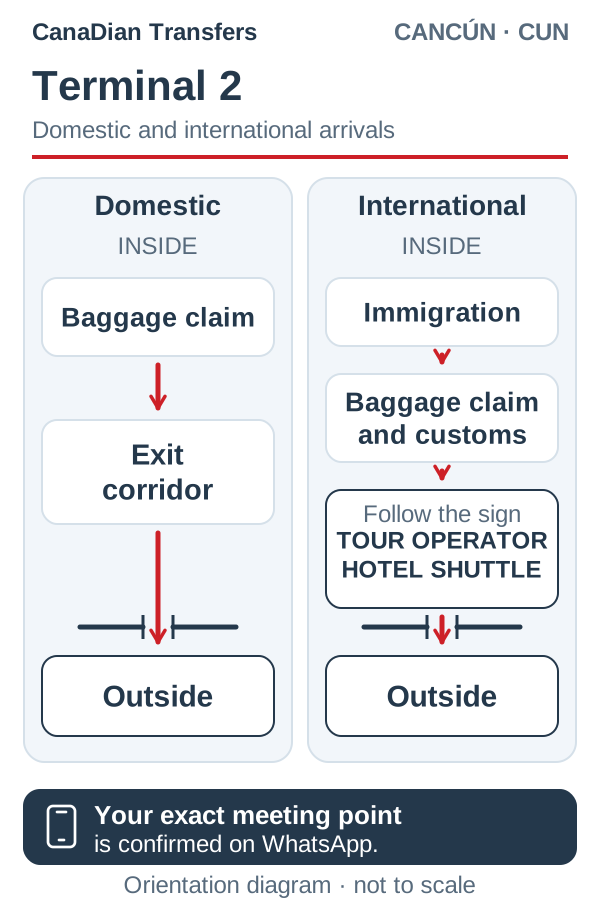
Distinguish domestic from international arrivals; the formalities and route depend on your flight.
Follow the domestic or international arrival signs that apply to your flight.
For domestic arrivals, collect your luggage and continue toward the exit. For international arrivals, the reference order is immigration, luggage and customs.
Continue according to terminal signs and the instructions in your booking conversation.
Message us through WhatsApp to coordinate the meeting and verify your name before boarding.
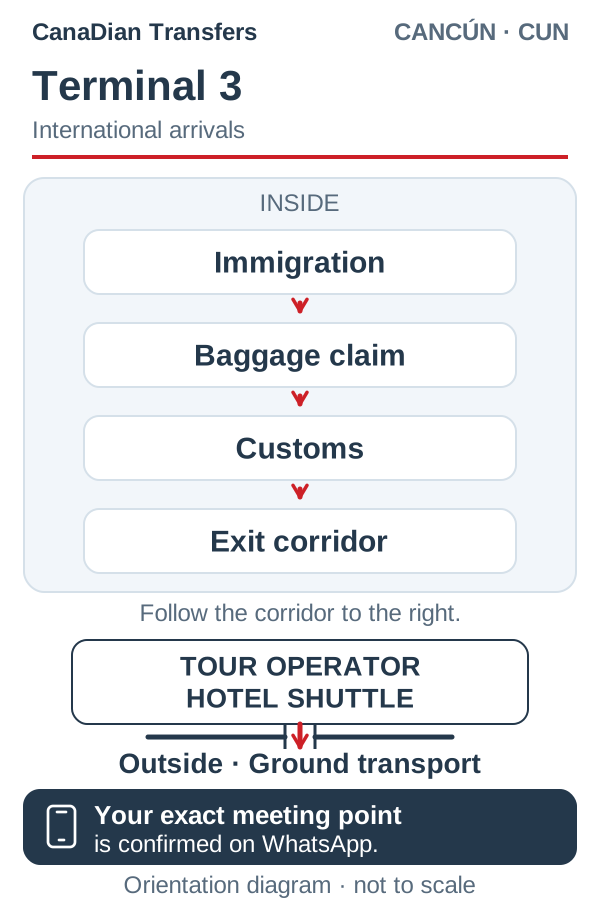
This sketch shows an international arrival. After completing arrival formalities, use the signs for tour operators and hotel shuttles as a reference.
Complete the arrival formalities that apply to your flight.
Look for the signs for tour operators and hotel shuttles.
Stay in your booking’s WhatsApp conversation for the meeting instructions.
Confirm your name and booking with the driver.
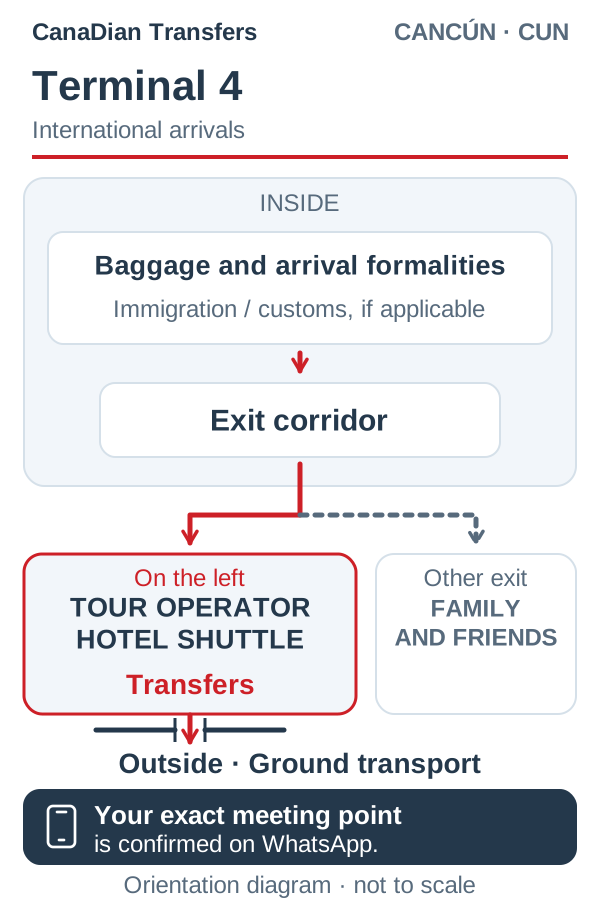
This sketch shows an international arrival and distinguishes the operator exit from the family-and-friends exit. For a domestic flight, confirm the instructions in your booking.
Collect your luggage and complete the required formalities.
The operator exit and the family-and-friends exit serve different purposes.
Confirm the route for your pickup through WhatsApp before continuing.
Verify your name and booking before boarding your transfer.
Airline references
This selection contains examples published by the airlines. It is not a complete directory or live flight information: always confirm the terminal for your flight.
6 airline references across 3 terminals.
Volaris publishes T2 for its departures from Cancún.
View Terminal 2 guideAmerican Airlines lists its ticket counters in T3. Confirm your flight's arrival terminal separately.
View Terminal 3 guideThese airlines publish T4 for Cancún.
Your pickup point is confirmed through WhatsApp for your arrival.
View Terminal 4 guideShare your flight number and the terminal shown by your airline in your booking's WhatsApp conversation.
Share this with CanaDian Transfers before moving. We will confirm your pickup instructions with you.
Airline references checked on October 29, 2026. Confirm the terminal assigned to your own flight.
Arrival questions
Your exact meeting point is confirmed through WhatsApp for your arrival. The CanaDian Transfers sketch helps you recognize the arrival checkpoints; airport signs and the instructions in your booking take priority. See the waiting times and terminal parking charges.
Tell us in your booking's WhatsApp conversation. Share your updated flight number and terminal before moving.
Quote your private transfer between Cancun Airport and your accommodation, with both journeys in one reservation.